Ask your AI. Get a page you can actually edit.
Tell the assistant you already use what you do and where your links go. It builds a real shapes page, shows you a private preview, and hands it over with one link. Then it is yours to change on your phone.
Works with your assistant
Ask
Say what you want in your own words. The assistant asks for anything it cannot guess, like your links.
Preview
It builds a private page and shows it to you. Ask for changes and it revises the same draft.
Make it yours
Open the claim link and sign in with email or Google. The page opens in your editor, still private.
Things to say.
- “Make me a link in bio for my Instagram with shapes.”
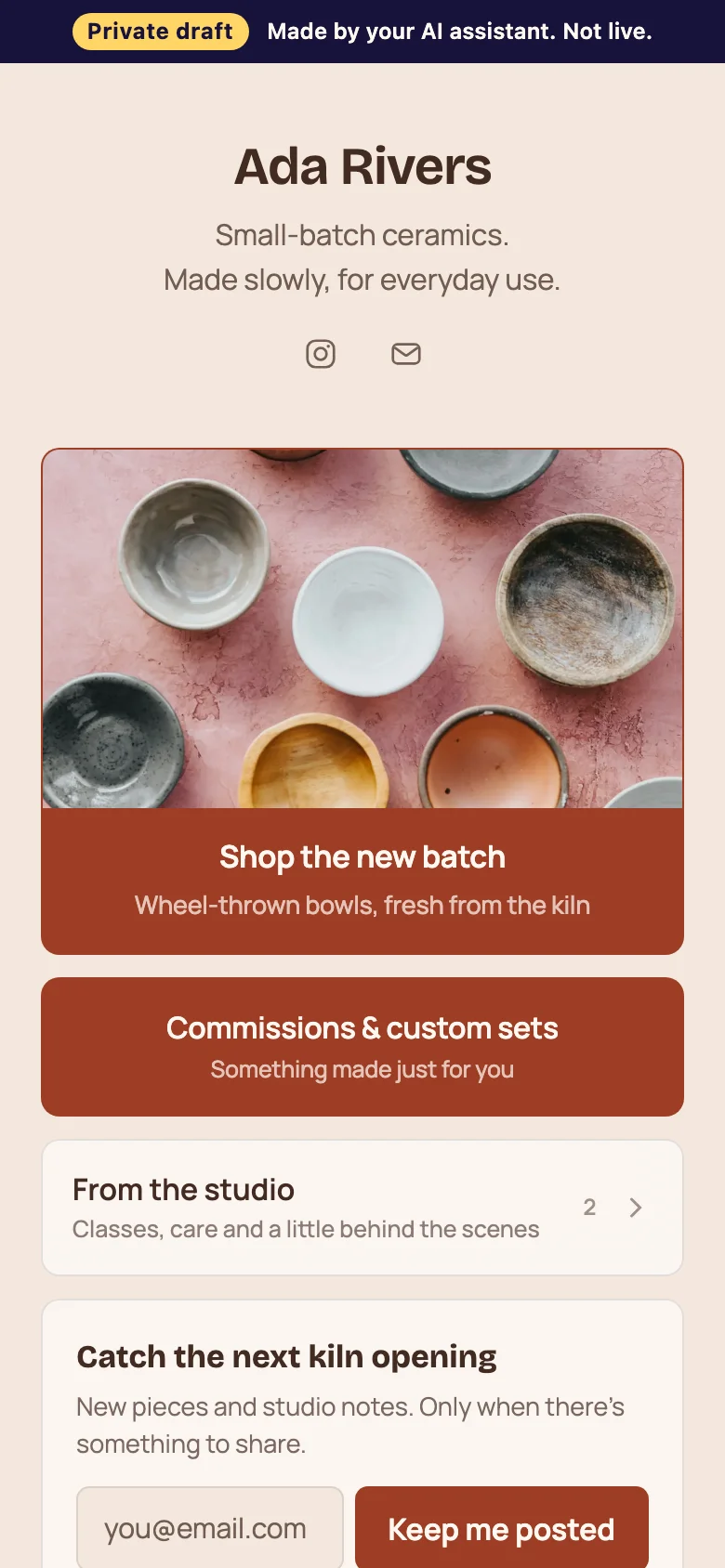
- “Use shapes to build a page for my ceramics shop: the new batch first, then commissions and my newsletter.”
- “Turn my old Linktree into a shapes page in the Midnight look.”
- “Make my shapes page calmer: put my tour dates in a folder and the new single at the top.”
Add shapes to your assistant.
Paste this address where your assistant adds connectors (sometimes called apps, integrations or MCP servers). No key or account is needed.
https://shapes.bio/mcpWhat your assistant can do.
It can build a whole page: your name and bio, social icons, links, folders, headings, galleries, music and video players, products, events, FAQs and an email signup. It can pick one of the six looks or set your colours and fonts. It uses the same blocks and checks as the shapes editor, so what it makes is a normal page you can keep editing.
It can keep revising the draft while you talk: “move the shop to the top”, “make it darker”, “add my Spotify”. Each change updates the same private preview.
What it cannot do.
It cannot publish your page, choose a plan for you, see your other pages, take payments or connect your accounts. Only you can publish, from the editor, after you have looked at the page yourself.
It also cannot know your links unless you tell it. If an assistant guesses a link, fix it in the editor before you publish. Images from other websites are copied into your own image library when you claim the page, so your page never depends on someone else’s server.
Private until you say otherwise.
The preview is not published and is never indexed by search engines. Only people with the link can see it, and it carries a “Private draft” label. If nobody claims it, it is deleted after 7 days.
Building and editing are free, and one live page is free. The person presses Publish. Pro ($8 a month or $60 a year, US dollars) adds more pages, their own domain and removes the shapes badge.
Connect your assistant once.
shapes works with any assistant that supports MCP connectors (a standard way for assistants to use tools). You add one address and the assistant can build pages from then on. There is no key to copy and no account needed until you claim a page.
Assistants that cannot add connectors can still read our instructions at /llms.txt and send you to the right place.
Common questions.
Do I need a shapes account first?
No. Your assistant can build and show you a page without one. You sign in only when you want to keep it.
Can the assistant publish my page?
No. Publishing is always your own action in the editor, and it needs a plan.
What if I do not like what it made?
Ask for changes, or ignore it. An unclaimed draft is deleted after a week. After you claim it, everything is editable, and Cove can help inside the editor.
Which assistants work?
Any assistant that can add an MCP connector by URL, including Claude, ChatGPT (as an app), Muse, Cursor and VS Code. Setup steps are on the developer page.
Make the page yours.
Build and preview for free. Choose a publishing plan only when you want the page live.